
What is current?
Search by number, title or author. Group the register by project and see the revision and status alongside the drawing.
The drawing registerONLINE DRAWING CONTROL
Bring your drawing register, revisions, approvals and transmittals into one place. Give your team a clearer view of what is current and what has changed.
30-day core trial · No card required · Optional paid AI add-on
EXPLORE THE ACTUAL APP INTERFACE
Choose a screen
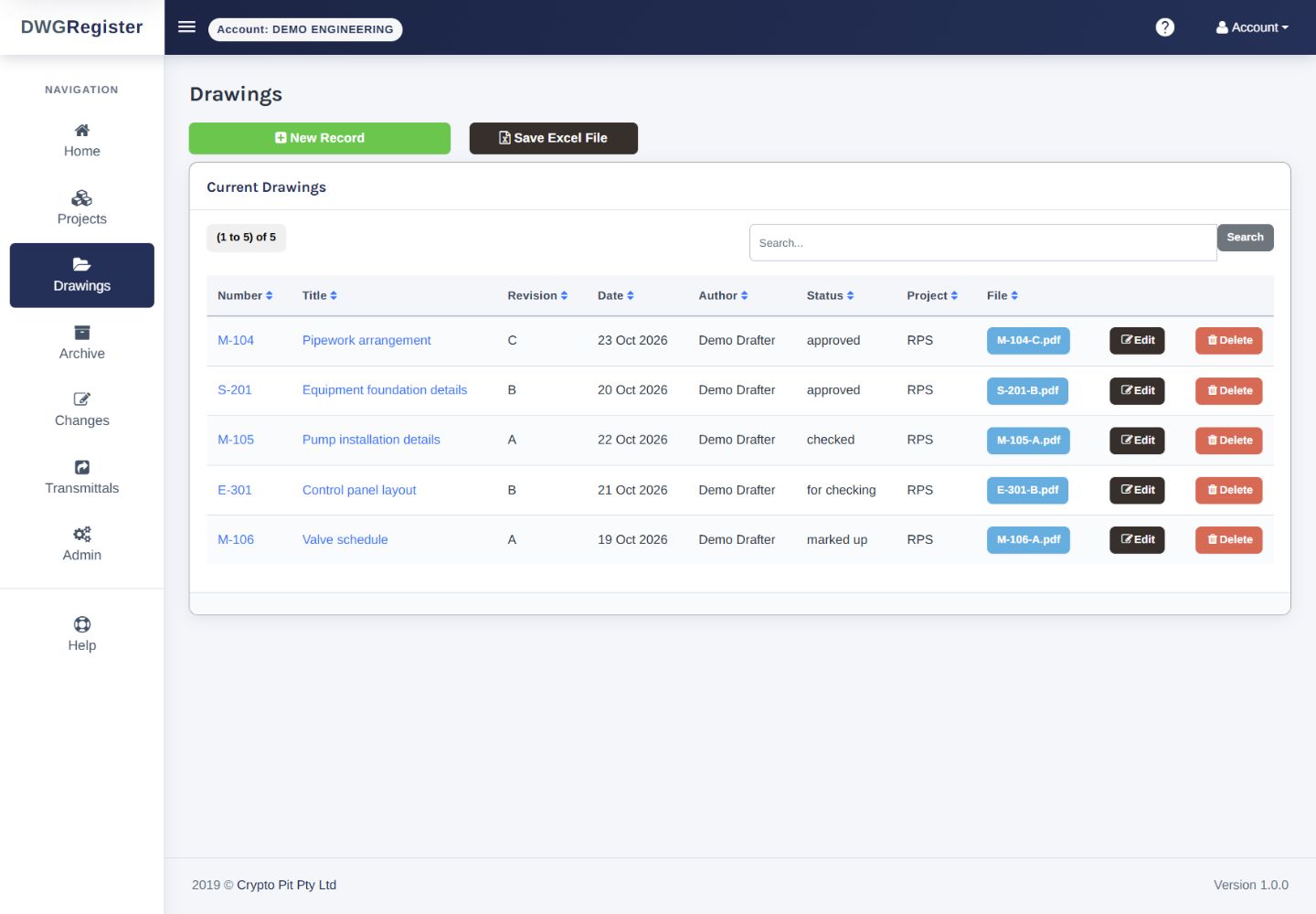
The actual Drawings page: current records, revision, date, author, status, project and file links, with the available administrator controls.
01 / THE WORK BEHIND THE DRAWING
A drawing changes hands and revisions. Keep the details that explain where it stands, what changed and which issue was sent.
Search by number, title or author. Group the register by project and see the revision and status alongside the drawing.
The drawing registerUse the checking and approval workflow, user access levels and optional project permissions to control the next step.
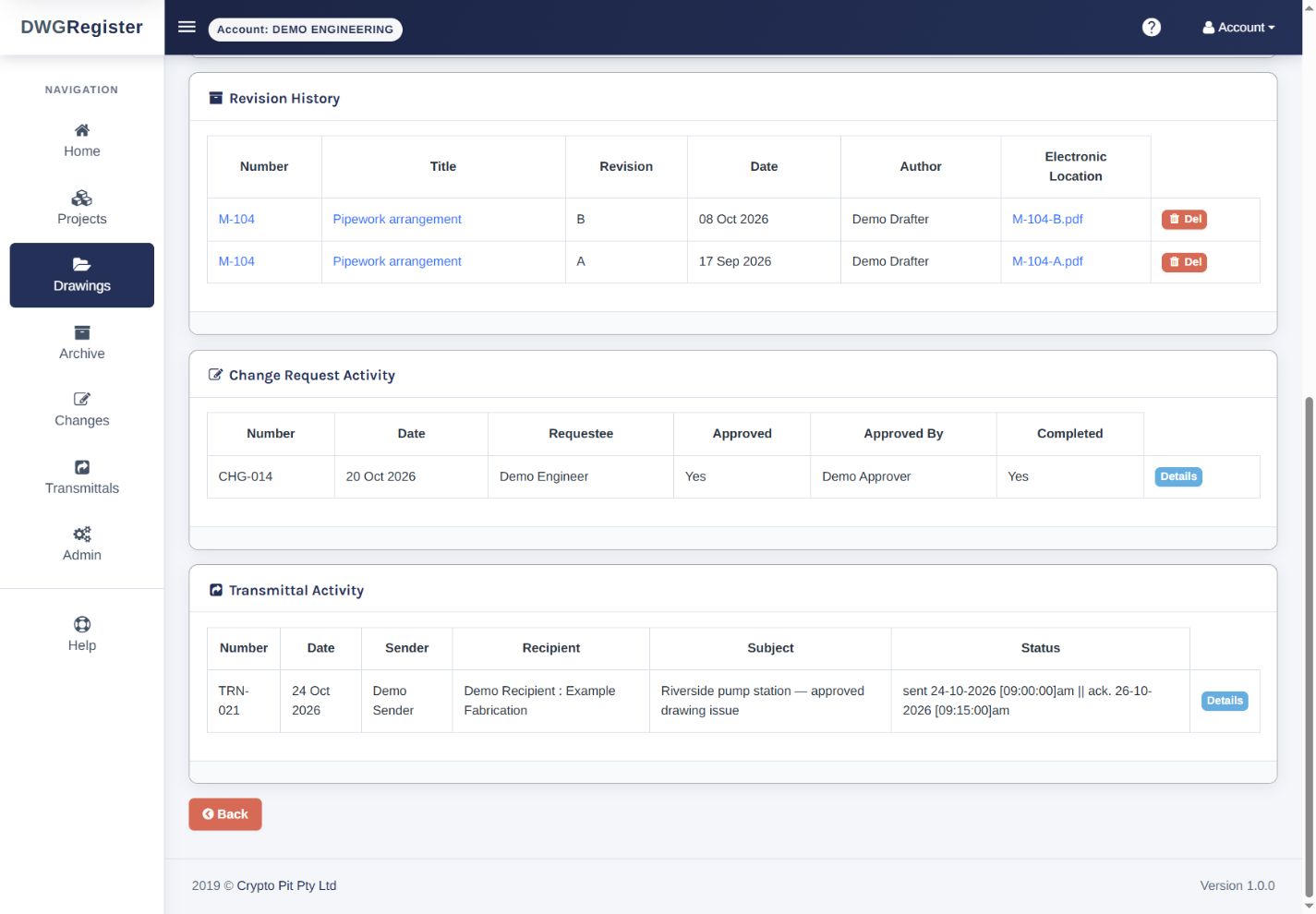
Review & accessLink revisions, change requests and transmittals to the drawing record. Return to previous issues when you need the history.
Revisions & transmittals02 / WHEN THE REVISION CHANGES
Archive an approved drawing when you update its revision. Keep the previous file and record what changed, with a link to an approved change request where applicable.
Explore revision control03 / BEFORE YOU CHOOSE
Look at the everyday details before you commit: how drawings are organised, what reviewers can do, and how to retrieve your records.
Open the actual app demoExisting shared demo · sign in with test / test
Yes. Optional project access controls let administrators assign view, download, clean-copy download, edit and delete permissions. User access levels also govern actions such as approval and issuing transmittals.
Export the drawing list to Excel, and download a project’s drawings as a ZIP file. Watermarked or clean copies depend on the user’s permissions.
DWG Register manages drawing records, revisions, review status and distribution. Keep creating the drawings in your existing design tools. PDF workflows support stamps; optional AI reads supported PDFs and images.
Start a core trial, set up a project and add some drawings. Add your users and choose the access they need. Built-in Help and role-based training explain the workflow inside the app.
No. AI title-block pre-fill and bulk PDF import are a separate paid add-on. You review suggestions before saving; third-party processing and usage allowances apply. See the add-on details.
04 / MAKE THE TRIAL USEFUL
Use the 30-day core trial to evaluate a complete piece of work, from a register entry through checking and issue.
Start a 30-day trialAdd a project and a few drawings you know well. Check the search, fields and project grouping.
Bring the people who check and approve drawings into the review. Inspect the archive and change record.
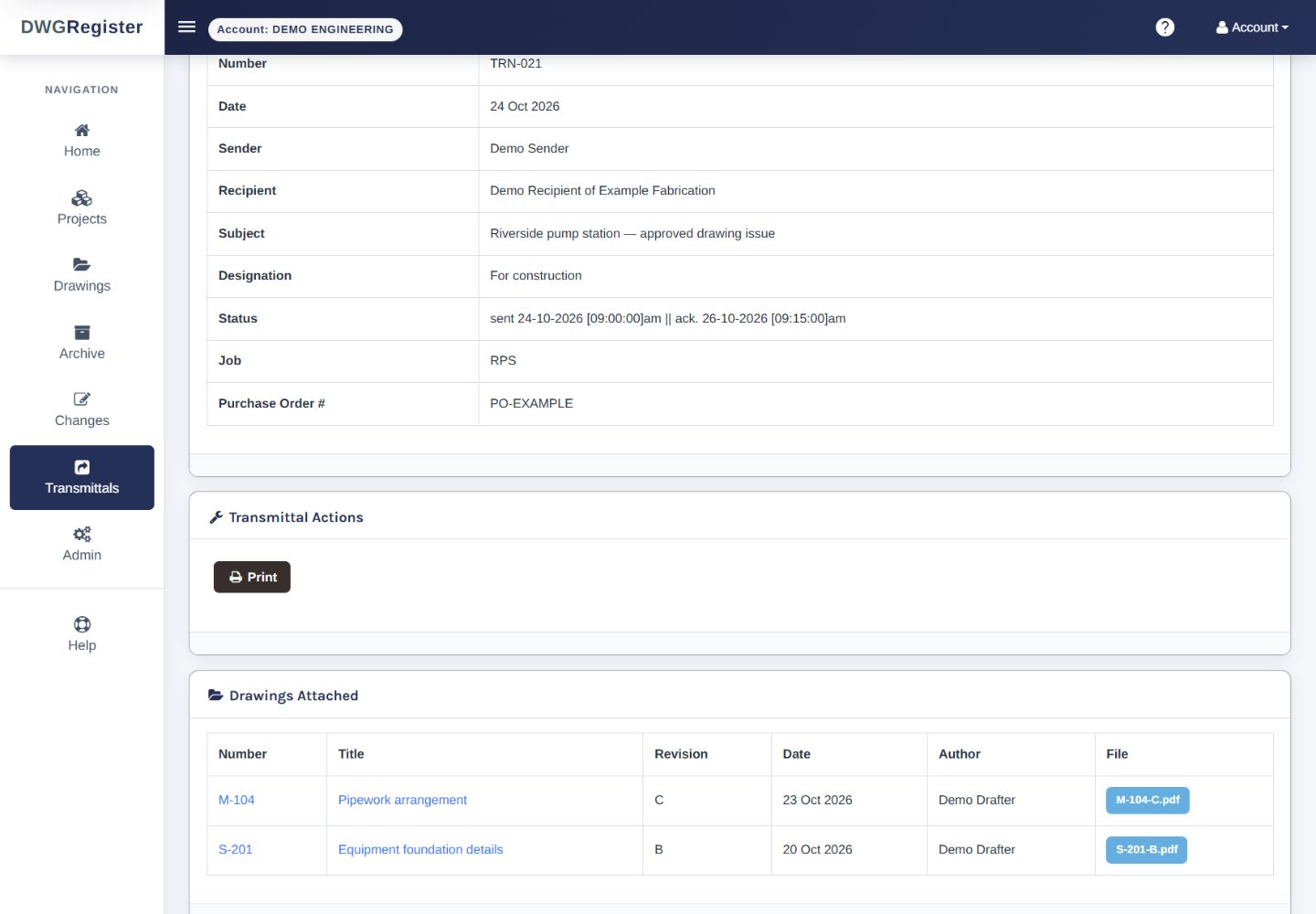
See how a transmittal records drawing revisions and acknowledgement, and test the exports you need.
A FOCUSED TOOL / A PRACTICAL FIT
Engineering and design consultancies, drawing offices, construction consultants and manufacturing teams share the same questions about revisions and issue history.
If your requirements include CAD editing, model coordination or a mandated project platform, assess those needs separately. Read the processing details and try the actual workflow before deciding.
Terms, privacy & processingYOUR NEXT PROJECT / A CLEARER RECORD
Start with a project, a few drawings and the people who review them. See how the register fits the way your team works.
Start a 30-day trial30-day core trial. No card required.