
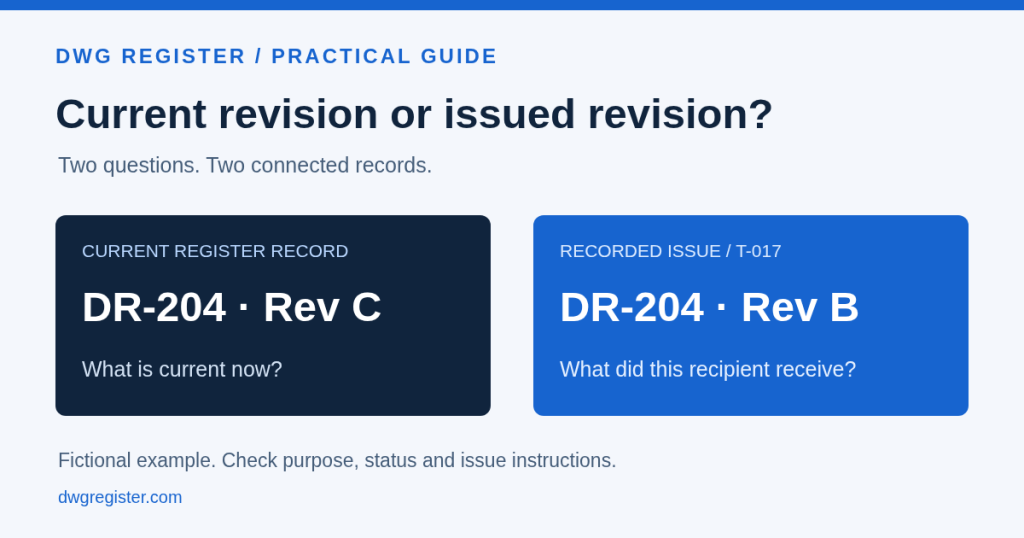
Someone asks for the latest drawing. You find revision C in the register, but the last transmittal to their organisation lists revision B. Both records can be accurate. They answer different questions.
The register identifies the current drawing record. The issue history identifies what was sent to a recipient at a particular time. Keeping those records connected helps a team explain the difference without guessing from a filename or an email attachment.
Identify which question needs answering
Before selecting a file, establish the task. A reviewer may need the current record for coordination. A project lead investigating an earlier decision may need the exact revision included in an older issue. A supplier may be asking which issue they should work from.
Those requests should not all lead automatically to the most recently modified file. The relevant drawing, review status, issue purpose and recipient need to be considered together under the project’s agreed process.
A simple example
Consider the following fictional drawing record. The example illustrates the distinction; it does not establish what revision a real recipient is authorised to use.
- Drawing: DR-204, Equipment arrangement.
- Current register record: revision C.
- Last recorded transmittal to Supplier A: T-017, containing revision B.
- Current action: check the issue purpose and agreed instructions before selecting or sending another file.
If the question is what the register contains now, revision C is relevant. If the question is what Supplier A received through T-017, revision B is relevant. The presence of revision C does not prove that a new transmittal was issued, acknowledged or approved for the supplier’s task.
Read the drawing record and the transmittal together
First confirm the project, drawing number and title. Then inspect the revision and review status. If the request concerns an earlier issue, open the relevant transmittal and check its recipient, purpose and attached revisions.
In DWG Register, drawing details bring revision history, change request activity and transmittal activity together. Transmittal details identify the recorded issue and its attached drawings. This gives the team a route from the current record to its history.
Do not use a transmittal number alone as the answer. Check that it belongs to the right project and recipient and that the particular drawing was included.
Keep the superseded revision
Superseded does not mean historically irrelevant. An earlier revision may be needed to explain a query, compare a design change or reconstruct what a team was working from at the time.
Retain the earlier drawing and record the reason for the revision. Where a change request applies, keep that link available too. Avoid replacing an archived file with a newer one simply to make an old package look current.
DWG Register supports archiving an approved drawing when its revision is updated. The earlier version remains part of the drawing history. Access to records and clean or watermarked copies still depends on the applicable permissions.
Keep acknowledgement separate from technical approval
A recorded acknowledgement helps answer whether an issue was acknowledged. It does not, by itself, establish that the recipient checked every drawing, approved its technical content or accepted a change to their instructions.
Use your project’s agreed review and approval process to establish those decisions. Keep the relevant drawing status, change decision and issue record available rather than compressing them into a single word such as “received”.
Make the next issue explicit
If another issue is required, resolve its purpose and review requirements, select the intended drawings and revisions, and record the new transmittal. Do not assume that updating the register has already informed everyone who received an earlier version.
It can help to finish a query with a brief reference: the project and drawing number, the revision being discussed, the relevant transmittal, its recipient and the agreed next action. That gives the next person a record they can follow.
Try the distinction with your own team
Choose one drawing that has changed. Ask one colleague to find its current record and another to find the revision included in a past transmittal. Compare the answers and check that the reason for the difference is understandable from the records.
If the team needs someone’s memory or an unrecorded conversation to explain the result, improve that part of the process before expanding the register.
Explore the DWG Register workflow for a practical tour, or review the revision and transmittal features. Start with a representative project and evaluate how the records support your team’s way of working.